Acalytica allows you to sell products, services, and accept donations directly from your biolink page, with no subscription fees. Follow these steps to start:
✅ Step 1: Sign In
Go to: https://acalytica.com/login
Sign in or create an account.
💳 Step 2: Set Up a Payment Processor
- Go to your dashboard: https://acalytica.com/dashboard
- Click "Payment Processors"
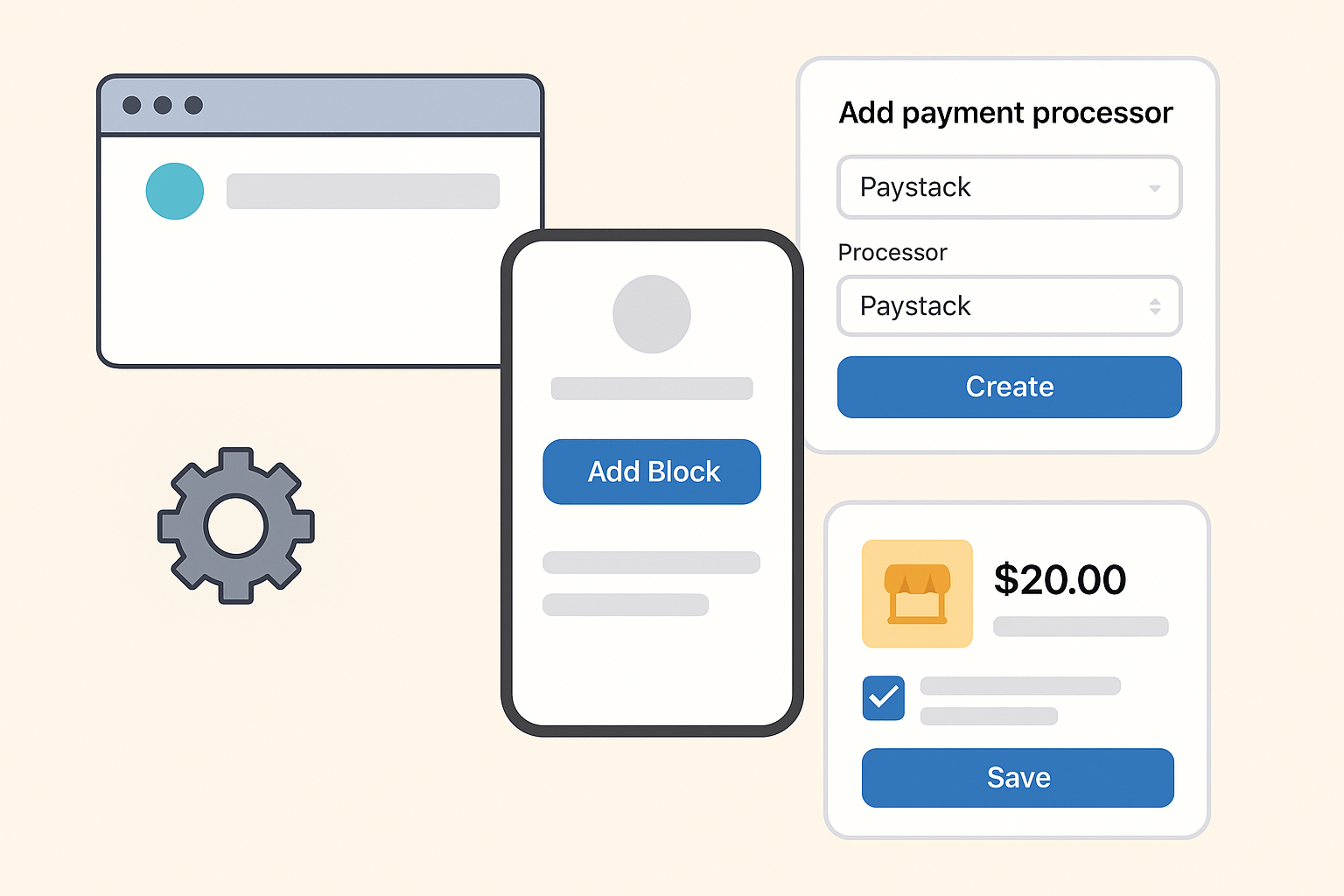
- Click "Add payment processor"
- Give it a name (e.g.
Paystack) - For Processor, choose:
Paystack - Click "Create"
- Fill in:
- Business/Personal Name
- Bank Name
- Account Number
- Click "Update"
🔗 Step 3: Create Your Biolink Page
- Go to: https://acalytica.com/links?type=biolink
- Click "Biolink Page" or "Biolink Templates"
- Create your new page
🧱 Step 4: Add Products, Services, or Donations
- Click "Add Block"
- Choose one:
- Product
- Service
- Donation
- Fill in the details (title, price, description, image)
- Select the payment processor you set up earlier
- Click Save
🛍️ Step 5: You’re Live!
Your product, service, or donation is now visible and ready for customers on your biolink page.
💡 Pro Tip:
You can add as many products or services as you'd like and share your Acalytica biolink everywhere — on WhatsApp, Instagram, TikTok, or via QR code.