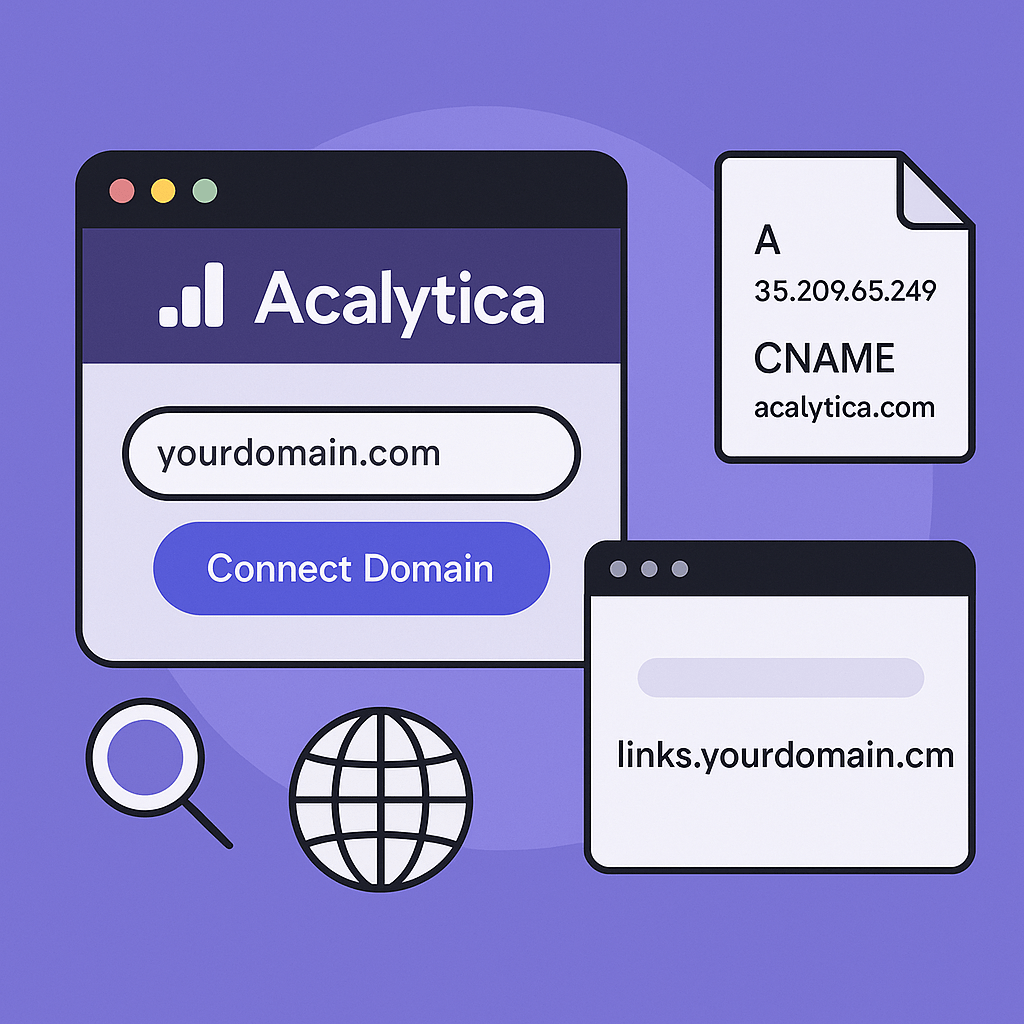
Acalytica lets you use your own domain name—so instead of using the default Acalytica URL (e.g., acalytica.com/yourname), you can publish your site at yourdomain.com or even a subdomain like links.yourdomain.com.
✅ Why Use a Custom Domain?
- Stronger Branding – Reflect your brand in your URL.
- SEO Benefits – Improve search engine rankings and discoverability.
- Trust & Recall – Easier for users to find and remember.
🛒 Step 1: Buy or Use Your Domain
If you don’t already own a domain, you can purchase one easily:
- Go to acalytica.com/domains
- Click “Purchase Domain” to buy a new domain.
If you already own a domain, skip to Step 2.
🌐 Step 2: Connect Your Domain
To connect a custom domain or subdomain:
- Log in to your Acalytica account and verify your email.
- Visit acalytica.com/domains
- Click “Connect Domain”
- Enter the domain or subdomain you want to use.
DNS Setup
Make sure your domain or subdomain has the correct DNS settings:
- For root domains (e.g.,
yourdomain.com): - Create an A record pointing to:
-
35.209.65.249 - For subdomains (e.g.,
links.yourdomain.com): - Create a CNAME record pointing to:
-
acalytica.com
Changes may take a few minutes to a few hours to propagate.
🧠 Requirements
- You must be logged in to your Acalytica account.
- Your email must be verified.
- You must own the domain or have access to its DNS settings.
🎯 Summary
Acalytica makes custom domain setup fast and seamless. Whether you're using your own domain or purchasing one through Acalytica, you can create a professional, branded web presence in minutes.
Need help? Reach out to support or visit acalytica.com/domains to get started.