If you've ever found yourself bouncing between five different websites just to convert a PNG to WEBP, generate a password, and check a DNS record, you'll appreciate what Acalytica has quietly organised in its Online Tools hub. Tucked inside the dashboard alongside biolink builders, QR codes, and AI features, it's a free, sprawling toolbox that covers most of the small jobs developers, marketers, and creators run into on any given Tuesday.
Here's a tour of what's there, why it's useful, and how to make the most of it.
A toolbox organised by what you actually need to do
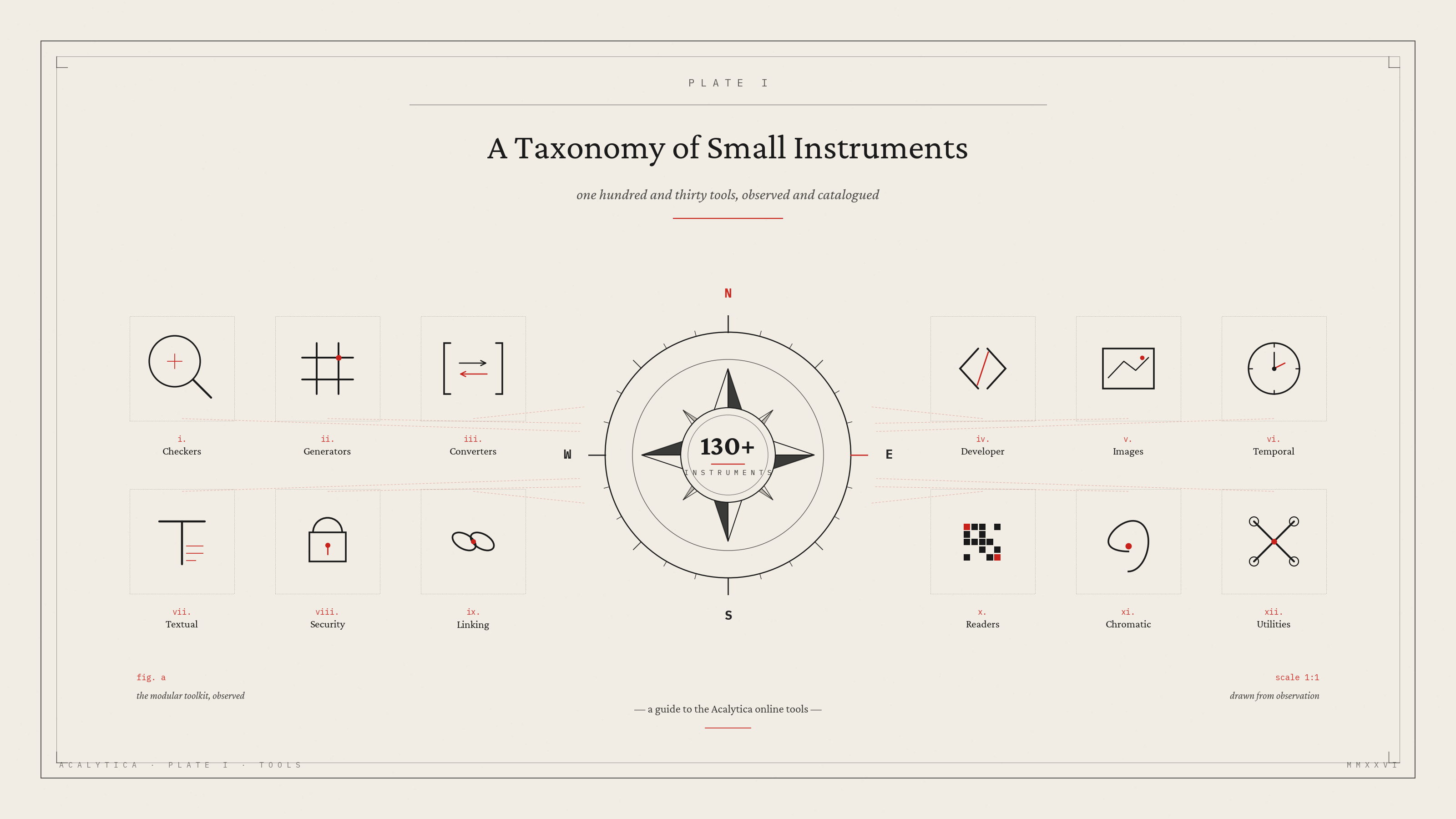
Instead of dumping every utility into one endless list, Acalytica groups its tools into eight colour-coded categories. You can collapse any section, search across everything with a live filter, and each tool card shows usage stats — a small but useful signal of what other people are actually reaching for.
The categories break down like this:
Checker tools — for when something isn't working
This is where you'll spend time when a domain misbehaves or a site feels off:
- DNS Lookup — find A, AAAA, CNAME, MX, NS, TXT, SOA records
- IP Lookup and Reverse IP Lookup
- SSL Lookup and Whois Lookup
- Ping, HTTP headers lookup, HTTP/2 Checker, Brotli Checker
- Safe URL checker, Google cache checker, URL redirect checker
- Password strength checker, Meta tags checker
- Website hosting checker, File mime type checker, Gravatar checker
Effectively a mini network-diagnostics suite without installing anything.
Text tools — clean up, transform, count
Whether you're tidying up a messy block of text or generating decorative type for social posts:
- Text separator, Duplicate lines remover, List randomiser, List alphabetiser, Reverse list
- Email extractor and URL extractor
- Character counter, Text size calculator
- Case converter, Reverse words, Reverse letters, Emojis remover, Palindrome checker
- Stylised text generators: Upside down, Old English, Cursive
- Text to speech and IDN Punnycode converter
Converter tools — translate between formats
- Base64 encoder, Base64 decoder, Base64 to Image, Image to Base64
- URL encoder and URL decoder
- Colour converter
- Number bases: Binary, Hex, ASCII, Decimal, Octal, Morse
- Number to words converter — the kind of thing you don't know you need until you're writing a cheque amount or formal document
Generator tools — the biggest category
Link generators:
Identity and content:
- Signature generator, Slug generator, Lorem Ipsum generator
- Password generator, Random number generator, UUID v4 generator
Hashing (a remarkably complete suite):
- Bcrypt, MD2, MD4, MD5, Whirlpool
- SHA-1, SHA-224, SHA-256, SHA-384, SHA-512, SHA-512/224, SHA-512/256
- SHA-3/224, SHA-3/256, SHA-3/384, SHA-3/512
If you're doing any kind of security work, fingerprinting, or just need a quick hash, you're covered.
Developer tools — daily-driver utilities
- Minifiers: HTML, CSS, JS
- JSON validator & beautifier and SQL formatter/beautifier
- HTML entity converter, HTML tags remover
- BBCode to HTML and Markdown to HTML
- User agent parser and URL parser
These are the kinds of things you'd otherwise open a CodePen or a random Stack Overflow snippet to handle.
Image manipulation tools — convert everything
Start with the Image optimiser for compressing without quality loss, then pick your conversion:
- PNG to → JPG · WEBP · BMP · GIF · ICO
- JPG to → PNG · WEBP · GIF · ICO · BMP
- WEBP to → JPG · GIF · PNG · BMP · ICO
- BMP to → JPG · GIF · PNG · WEBP · ICO
- ICO to → JPG · GIF · PNG · WEBP · BMP
- GIF to → JPG · ICO · PNG · WEBP · BMP
Need a favicon? PNG to ICO. Need to shrink a screenshot for a blog? PNG to WEBP. It's all there, no sign-up, no watermark.
Time converter tools
Just two, but they're the ones you actually need:
Anyone who's ever debugged an API response knows the value.
Misc tools
- YouTube thumbnail downloader — one of the most-used tools on the page
- QR code reader and Barcode reader
- Exif reader
- Colour picker
What makes this useful in practice
A few things stand out compared to the typical "free online tools" site:
No ad walls. The tools sit inside a clean dashboard rather than between four banner ads and a popup. That alone changes the experience.
Live search. Type "hash" and only the hash generators surface. Type "png" and you'll see every PNG-related conversion. It turns 130-plus tools into something you can actually navigate in seconds.
Usage signals. Each card shows view counts and submission counts. They're modest numbers, but they hint at which tools are battle-tested versus less-trafficked.
It lives next to your other work. If you're already using Acalytica for biolinks, QR codes, shortened links, or analytics, the tools are right there in the same sidebar — no second tab, no second login.
Who actually benefits
The honest answer: anyone who works with the web. But a few groups will get outsized value.
Developers get the minifiers, JSON beautifier, hash generators, URL parser, and the network checkers — the small utilities you reach for several times a week. Marketers and creators get UTM link builders, YouTube tools, image optimisers, password generators for client handoffs, and meta tag checkers for SEO sanity checks. SMEs and freelancers get a one-stop place to do the fiddly work that doesn't justify a paid SaaS subscription — converting an image, checking if a client's site is properly secured, or generating a WhatsApp link for a campaign.
The bigger picture
Acalytica positions itself as a digital growth platform for creators, SMEs, and agencies — the kind of place where you build your bio link, run analytics, accept payments, and ship campaigns from one dashboard. The tools page fits that philosophy. It's not the headline feature, but it's the kind of utility layer that quietly saves you from context-switching across a dozen dodgy single-purpose websites.
If you've never explored it, it's worth ten minutes. Bookmark the ones you'll use again, ignore the rest, and enjoy not having to Google "free PNG to WEBP converter no sign-up" ever again.